grrclone
A free, open-source macOS menu bar app that connects rclone remotes as Finder volumes.
No licence key. No phone-home. No kernel extension. No root.
There are very few rclone GUIs for macOS. Most cost money, several phone home, and the rest are some mix of incomplete, awkward, and buggy. Paying a licence fee to mount a drive you already own, using a tool that is already free, is a strange place to end up. grrclone mounts your remotes, stays out of the way, asks for nothing, and tells no one.
Download grrclone View on GitHub
Install
brew install --cask mlaify/tap/grrclone
Or download the latest DMG from Releases and drag it to Applications. It’s signed and notarised, so Gatekeeper opens it without argument. Apple Silicon only; requires macOS 14 or later.
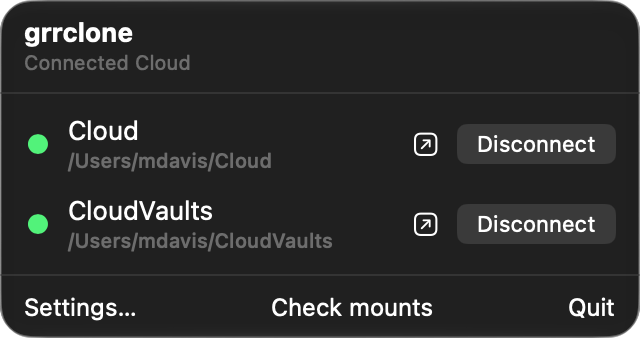
grrclone appears in the menu bar with no Dock icon, finds the remotes already in your
rclone.conf, and lists them. Homebrew owns updates
(brew update && brew upgrade --cask grrclone); grrclone can check for new releases
if you ask it to, but it never replaces its own bundle.
What it does
Connects your remotes
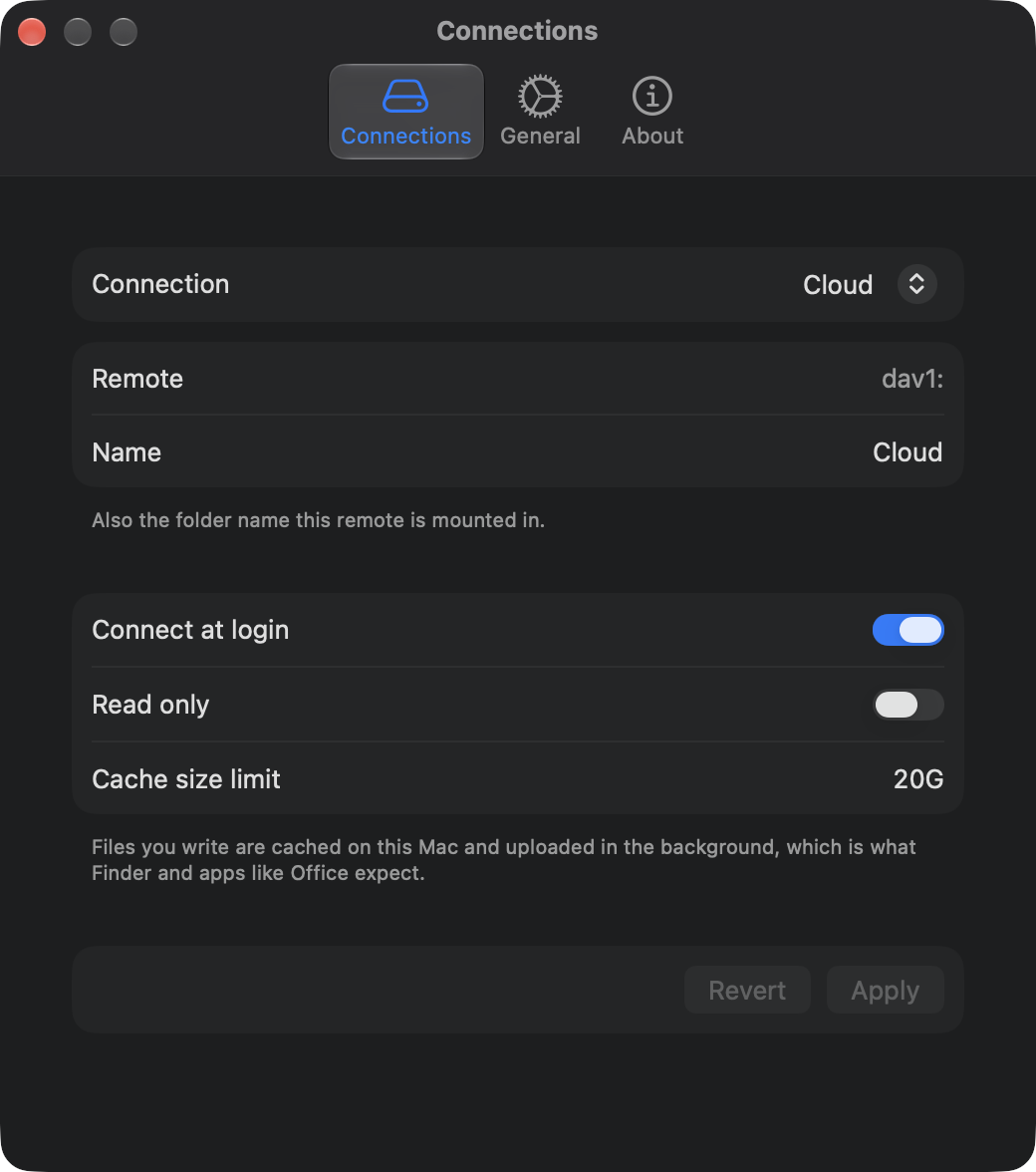
Mounts where you want
~/grrclone by default, or any folder you choose — so it can take over the paths an existing setup already uses. Per-connection mount name, read-only, and cache size.Encrypted configs
rclone.conf is encrypted, grrclone asks for the password and can remember it in your keychain.Live bandwidth limit
A redacted log viewer
Survives a bad shutdown
Four things no other rclone GUI does
1. It will not unmount a volume it did not create. A mount you made by hand with
rclone nfsmount looks identical to grrclone’s own in the kernel’s mount table, so
cleanup that pattern-matched that table could force-unmount your volumes mid-write.
grrclone unmounts a path only if that exact path is in its own registry, written
before the mount is attempted. Volumes it can see but doesn’t own are listed under
“Not managed by grrclone”.
2. It mounts with options that keep Finder alive. Tools that wrap
rclone nfsmount inherit macOS’s default hard, non-interruptible NFS mount: when the
backend dies, Finder beachballs and processes wedge until you reboot. grrclone performs
the mount itself with soft,intr and nolocks,locallocks. Measured with the server
killed under a live mount: an error after 7.1 seconds and a clean recovery, no reboot.
3. Credentials are stripped from logs on the way in, not on the way out.
Authorization headers, cookies, AWS request signatures, credentials in URLs, and
rclone’s control-socket password are redacted as each line arrives, before it’s ever
stored. The secret is never in memory in the clear, so no caller can forget to redact.
4. The privacy promise is a build failure, not a sentence in a README. A CI check on every pull request fails the build if a telemetry SDK appears, a server binds to anything but loopback, update checks become on-by-default, a new outbound host shows up, or App Transport Security is weakened.
How it works
grrclone runs one bundled rclone daemon, starts an NFS server on loopback per
connection, and performs the mount itself:
soft,intr,timeo=600,retrans=2,nolocks,locallocks,nfc,rsize=131072,wsize=131072
nolocks matters because rclone’s NFS server runs no lock daemon, so anything taking
a file lock — SQLite, Office, Adobe — would otherwise hang waiting on a daemon that
doesn’t exist. Against a real WebDAV remote over the internet:
rclone copy | Through the mount | |
|---|---|---|
| Cold read | 15.0 MB/s | 9.2 MB/s |
| Write, end to end | 15.3 MB/s | 11.9 MB/s |
| List 1,000 entries | 1.79 s | 0.64 s |
Method and full numbers are in docs/benchmarks.md.
Privacy
- No telemetry, no analytics, no crash reporting, no accounts, no licence keys, no gated features.
- No update check unless you turn one on. When you do, it asks GitHub once a day which releases exist and sends nothing about you.
- The only outbound connections are to the storage providers you configure.
- The rclone control API is a unix socket with
0600permissions and random per-launch credentials. Nothing listens on the network, not even loopback. - The bundled rclone is pinned and checksummed at build time, never downloaded at runtime.
- Every release carries a Sigstore-signed provenance attestation:
gh attestation verify grrclone.dmg --repo mlaify/grrclone. - grrclone reads your
rclone.confbut never writes it, so your command-line setup keeps working exactly as before.
What it cannot do
Each of these follows from NFSv3 or macOS’s NFS client, not from a choice grrclone made. docs/limitations.md has the detail and the measurements.
- File locks aren’t shared between Macs. Two Macs can each believe they hold an exclusive lock on the same file.
._files appear beside almost everything, because NFSv3 can’t store extended attributes. The related.DS_Storeproblem is solved, in Settings.- A dead backend gives an error after about two minutes, not a hang. Writes usually survive, because they land in a local cache first.
- “Server connections interrupted” can appear after five seconds of any slow request. Ignore is safe; the volume carries on when the storage answers.
Links
- mlaify/grrclone — source, issues, and releases (MIT)
- Migrating from a hand-rolled launchd mount without changing your paths
- Changelog · Contributing · Security policy
grrclone is not affiliated with the rclone project.